I am having trouble quickly and securely transferring files between different devices and need a straightforward solution for this.
Solved by Snapdrop
The Problem
I am often frustrated and feel inhibited because I have difficulty transferring files between my various devices. It is a tiresome task to send files as email attachments or to transfer them to a USB stick. I am looking for a straightforward solution that allows fast, secure, and seamless file transfer between my various devices running Windows, macOS, Linux, Android, or iOS. In addition, I want to ensure the privacy of my data by using a solution that does not require registration or login and does not move my data away from my network. Finally, it is important to me that the transfer is encrypted to provide extra security.
Screenshots

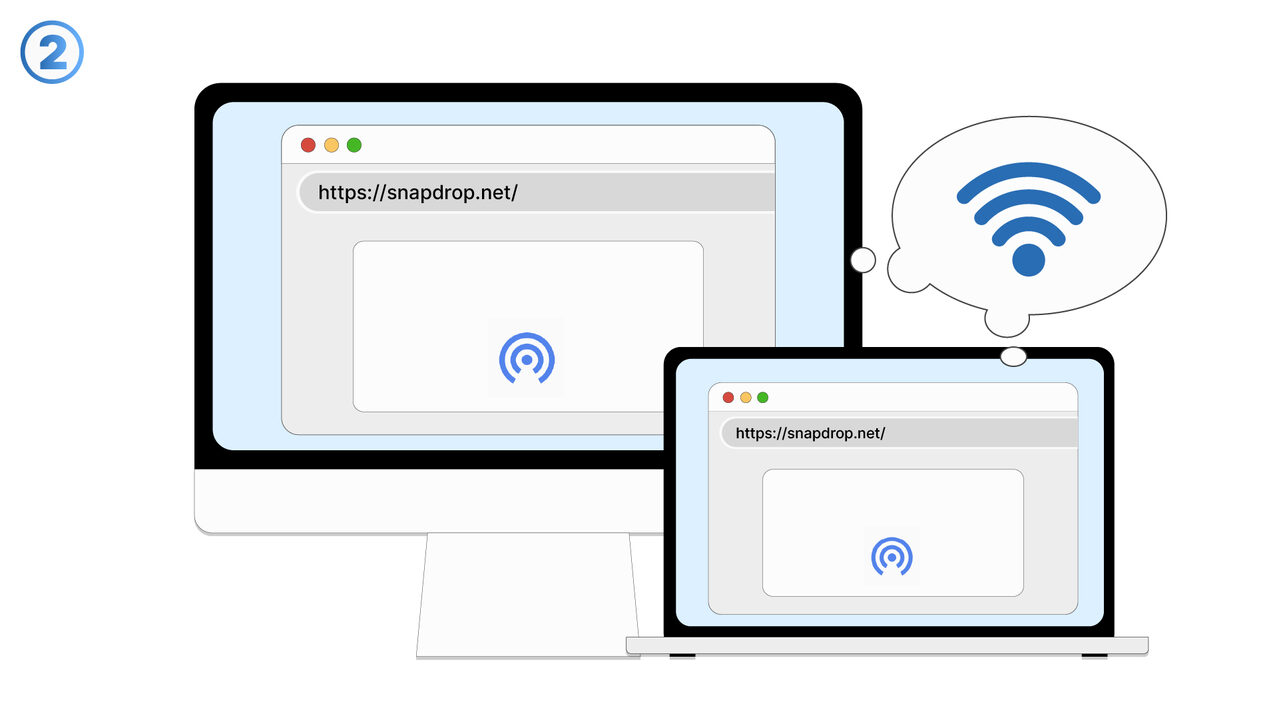
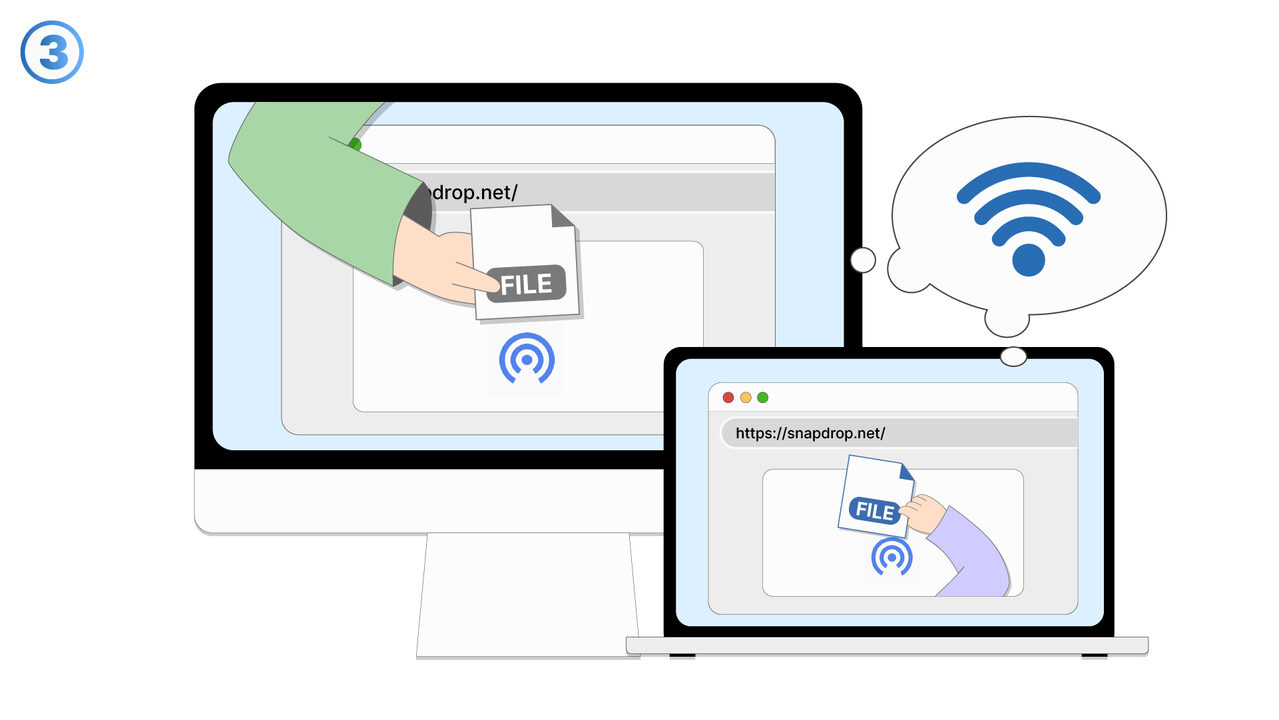
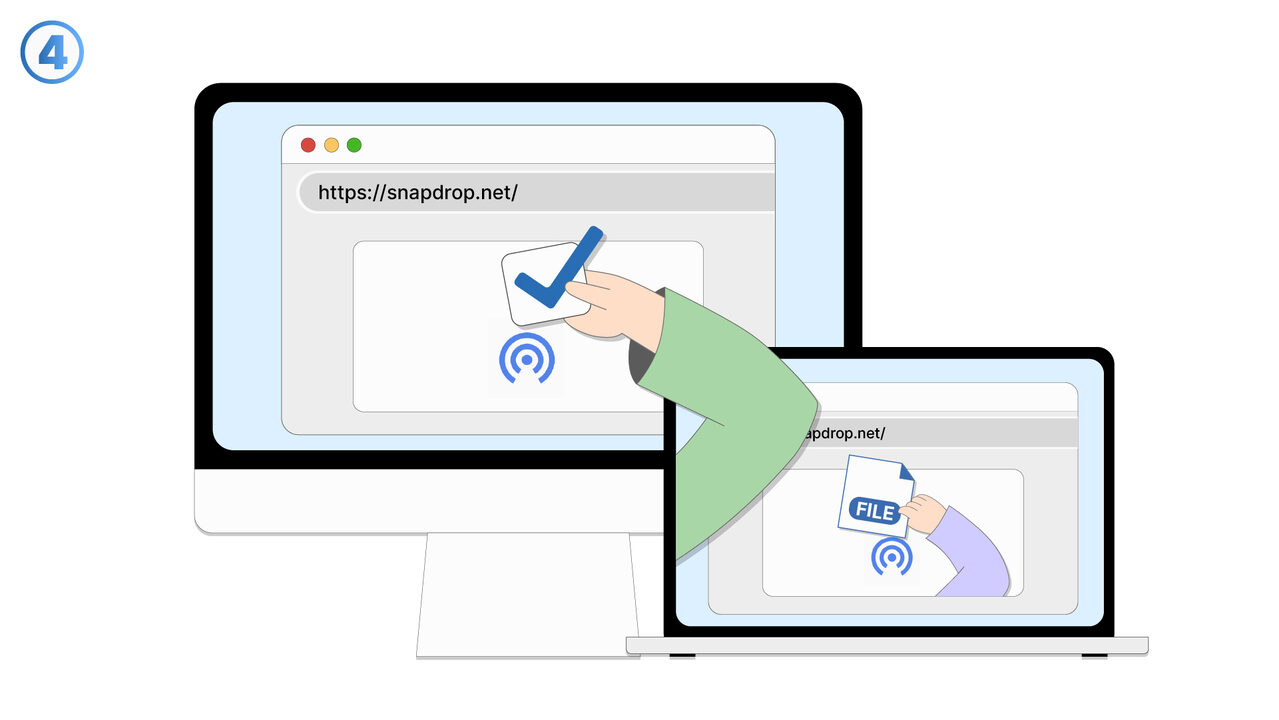
The Solution
Snapdrop provides an efficient solution to the problem of file transfers between devices. It functions as a web-based transfer tool, enabling seamless and fast transfer of files between your devices by working directly within the same network. Thus, the tedious task of sending files via email attachments or USB is avoided. Additionally, Snapdrop places high emphasis on privacy and security: it requires no registration or login, and it never allows your files to leave your network. Furthermore, file transfers are encrypted, providing an additional level of security. As a platform-independent tool, Snapdrop is compatible with Windows, macOS, Linux, Android, and iOS. Through its straightforward application, Snapdrop represents a practical solution to the frustrating task of file transfer between your devices.
External Resource
https://snapdrop.net/
Use this tool as a solution to the following problems
- I am having problems sending large files via email and need a cross-platform solution for it.
- I constantly lose my USB drives and need a simpler solution to transfer files between my devices.
- I am having issues transferring files between different devices and operating systems.
- I need a secure and simple way to transfer files between different devices without having to send my data online.
- I need a simple and secure way to transfer files between devices without having to constantly log in or register.
- I am having trouble sending files between different devices and am looking for a secure, cross-platform solution.
- I have difficulties transferring files safely and quickly between my different devices.
- I need a secure tool for quick and private transfer of my files between different devices and platforms.
- I need a simple way to quickly and securely transfer files between different devices on my network.
Know a better solution? Let us know.
If you know of a tool or approach that could help people solve a problem we haven't covered yet, we'd love to hear about it.